Airport Surface Advisories
Patent-pending runway incursion prevention system for Jeppesen Flitedeck Pro.
Tools
Figma, Miro
Role
Design Co-Lead
Timeline
Apr 2024 - Oct 2024

Background
In the last few years, there has been a sharp increase in aircraft collisions on the ground (a.k.a. runway incursions).
Because our primary goal at Jeppesen is always to make aviation safer, we we set out to increase pilots' situational awareness on the runway, and in turn, mitigate said incursions.
Initial Research
Internal
To get started, I set up time with a few of our PMs to better understand the goals and constraints of this project. They gave us the following guidelines:
1) We need to be careful of the "boy who cried wolf" syndrome – notifying users of false alarms will erode their trust and cause them to become desensitized to notifications.
2) We must remain compliant with regulatory standards mandating a "sterile cockpit" below 10,000 ft. We don't want to distract pilots when it is not absolutely necessary.
3) The most critical scenario for notification will likely be entering a runway that is currently active (in use).
External
We then conducted discovery interviews with pilots from a couple of different airlines to gain a deeper understanding of their grievances and needs.
We gained the following insights:

Scenarios Meriting Notifications
It is most important to notify users when they are entering an active runway. It may also be helpful to know when they are lined up on the incorrect runway.
Trust in Data Latency
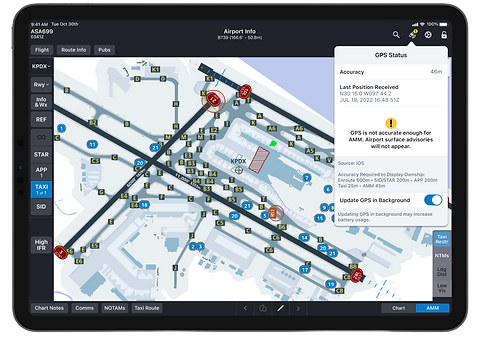
Users will not take notifications seriously if they don't have full trust that the runway data is updated and accurate.


User Patience for Alerts
Users will get irritated if they are notified too frequently, and this may caused them to tune alerts out.
Preferences for Alert Appearance/Behavior
Users suggest a large red button/toast message that they must acknowledge to dismiss.

User Stories & Feature Scoping
After looking at our user feedback vis-a-vis my internal research, I met with the PMs to write user stories and determine scope. Together, we I decided that the following user stories fell under Bin 1:
Alert Behavior

As a pilot, I want to receive notifications rarely enough that I don't begin to ignore them.
As a pilot, I want to view my screen while an advisory is present so that I can still see necessary enroute information.
As a pilot, I want to be notified of only the most critical scenarios so that I am not needlessly distracted.
Notification Scenarios
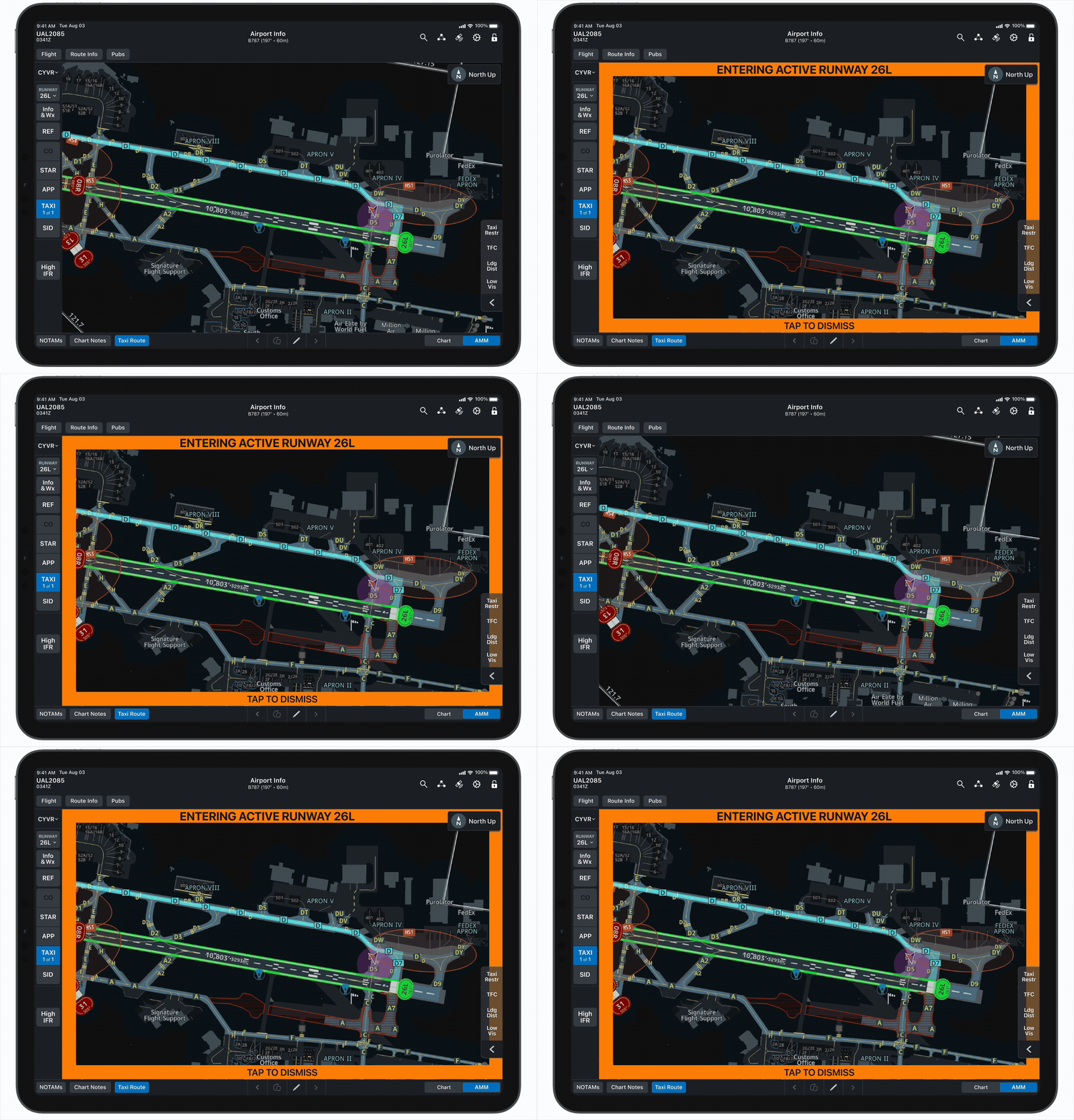
As a pilot, I want to receive notifications when I entering an active runway so that I can avoid runway incursions.
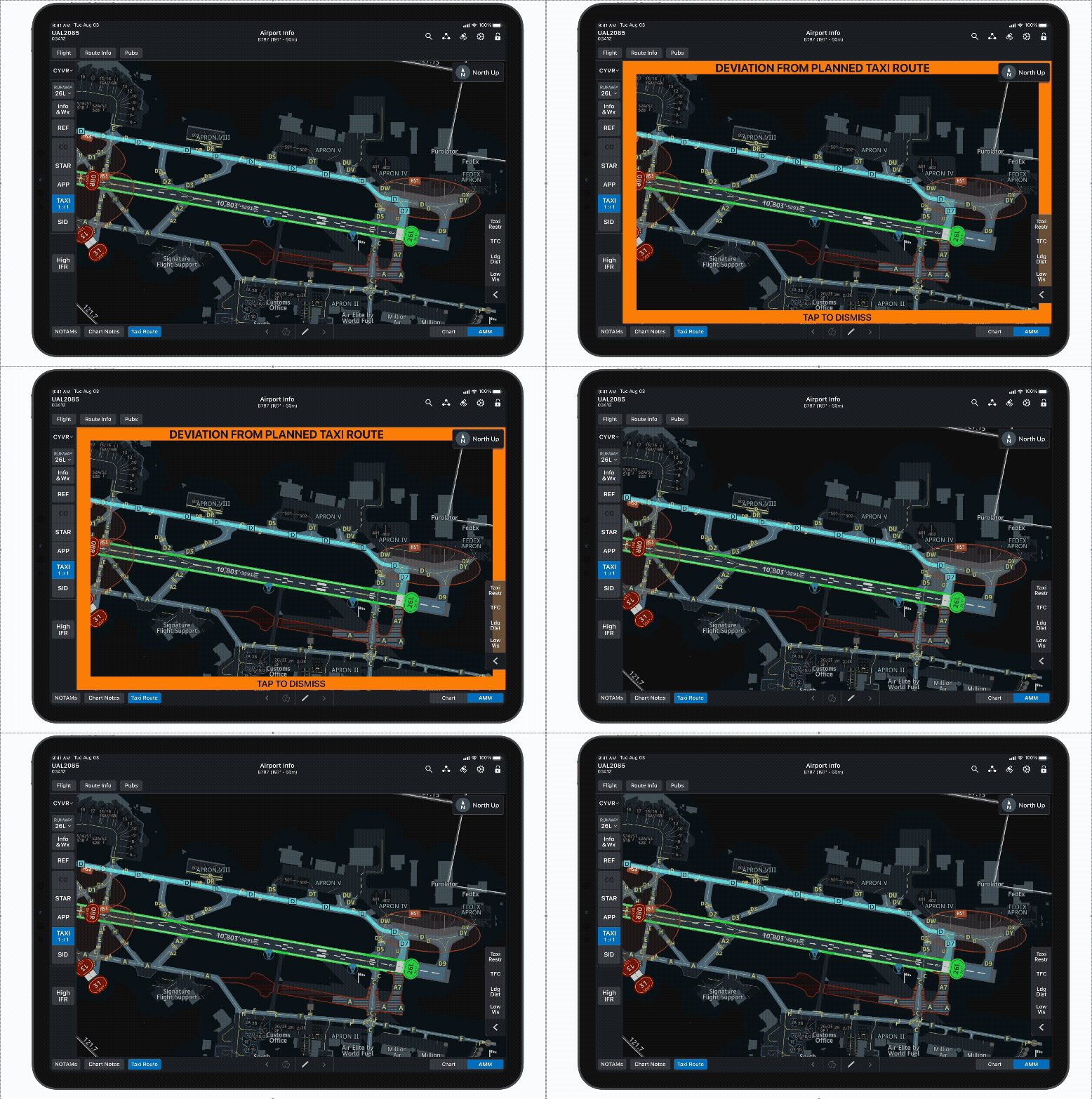
As a pilot, I want to receive notifications when I am no longer taxiing on my planned taxi route so that I can avoid runway incursions.
As a pilot, I want to receive notifications when traffic is on the same runway as I am so that I can have increased situational awareness.
Misc
As an airline operator, I want to configure whether surface advisories are enabled for my pilots so that I can control their level of potential
distractions.
User Workshop
While at an in-person conference in Denver, my co-designer Jess and I had the opportunity to lead a workshop with ~100 pilots. We led the participants through an exercise where they placed ideas on sticky notes for our three primary questions, and then we discussed as a group.

While taxiing, what are the most critical situations to be notified of? And how?
-
Users may like to have a “bubble” surrounding their aircraft and be notified if someone is encroaching on their bubble.
- Alerts should be tied to runway conditions (e.g. visibility).
-
Pilots will begin to ignore alerts if there are too many “false alarms.”
-
Most pilots will not hear sound alerts due to headsets.
-
Alerts may be divided into two or three levels of severity.
-
Colors may be used to differentiate level of severity (amber vs. red)
-
-
Users suggest a flashing red border around the screen, hash marks around the edge of the screen, or a red/amber banner in the center of the screen.
-
Alerts should auto-dismiss when the situation has been resolved.
What customizations needs exist for the user and/or operator?
-
Users should still be able to access relevant information while alerts are present.
-
Notifications should be minimized during taxiing to prevent distractions.
-
Both pilots’ iPads should receive the same advisories to avoid confusion.
-
Advisories should only appear for truly critical situations.
-
Flashing may help capture attention.
-
Traffic data must be accurate to avoid distracting pilots with false alerts.
-
Users should be able to mute advisories.


How do we balance advising vs. distracting users during critical phases of flight?
-
Users may want to customize where on the screen a banner advisory appears.
-
All advisories should be mutable.
-
Users may want to mute all advisories for a certain airport.
-
Users may want to mute all advisories for a certain flight.
-
-
Operators should be able to set the criteria for different levels of severity.
-
Operators may want to customize the order in which advisories are sorted.
-
There is no need for severity levels to be standardized across airlines.
Design & Iteration
Iteration #1
To get started, we mocked up a few different alert designs based on the suggestions from the users we had spoken with.


After brief ad hoc meetings with PMs and the rest of the design team, we decided to test this design flashing on the screen. It felt like a happy medium among all of the users' suggestions.
In all honesty, I did have some reservations about using such a bold design. When designing for pilots, our goal is almost always to avoid unnecessary distractions in the cockpit. However, the intention of this design was to create a distraction, so we had to abandon some of our typical design guidelines.
Cockpit Simulation Testing
For our first test, we had the chance to test our prototype in a cockpit simulator at one of our users' headquarters.